Small business

Recruitment Agency Candidate Data Records Toolkit

Keep a connected, checkable record of how your recruitment agency handles candidate information: what you hold, which systems and suppliers are involved, what you have decided and who looks after each part. A step-by-step guide, a linked Excel workbook with built-in checks and a completed example.

For customers in the UK only.

One-off payment. Instant download, with the link emailed to you. Digital product, nothing is posted.

Word (.docx), PDF, Microsoft Excel (.xlsx). Tested in desktop Microsoft Excel and Word for Windows. Not tested on a Mac, in Excel for the web or in Google Sheets. No macros. Read the limitations before you buy

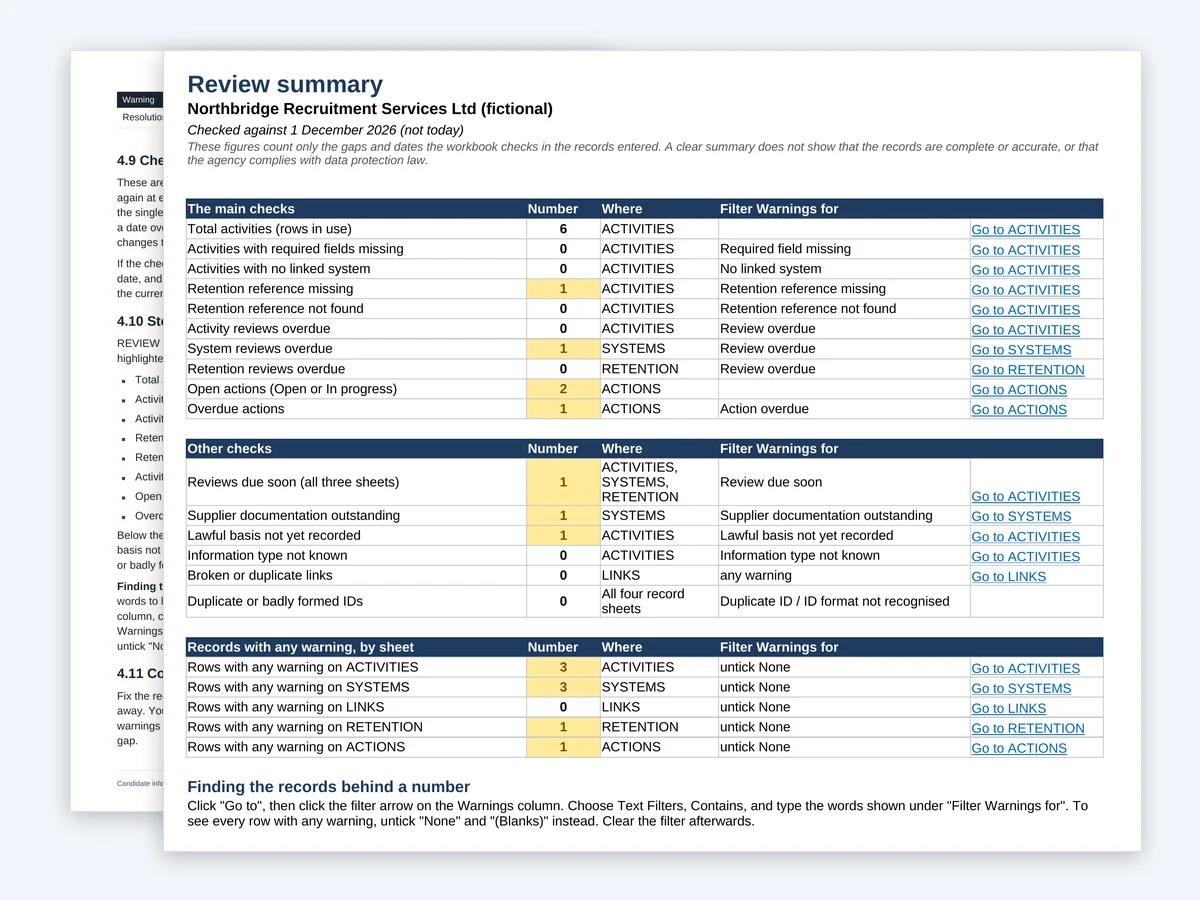
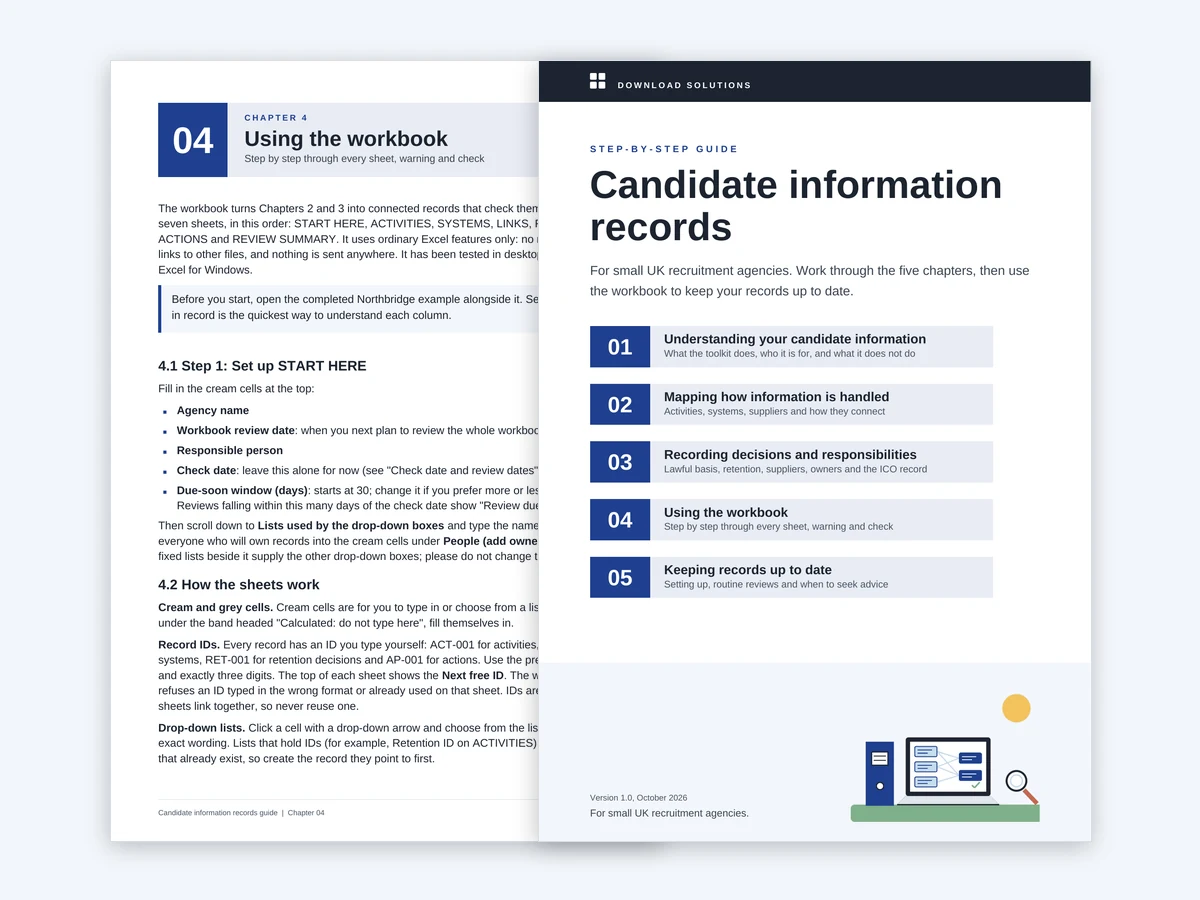
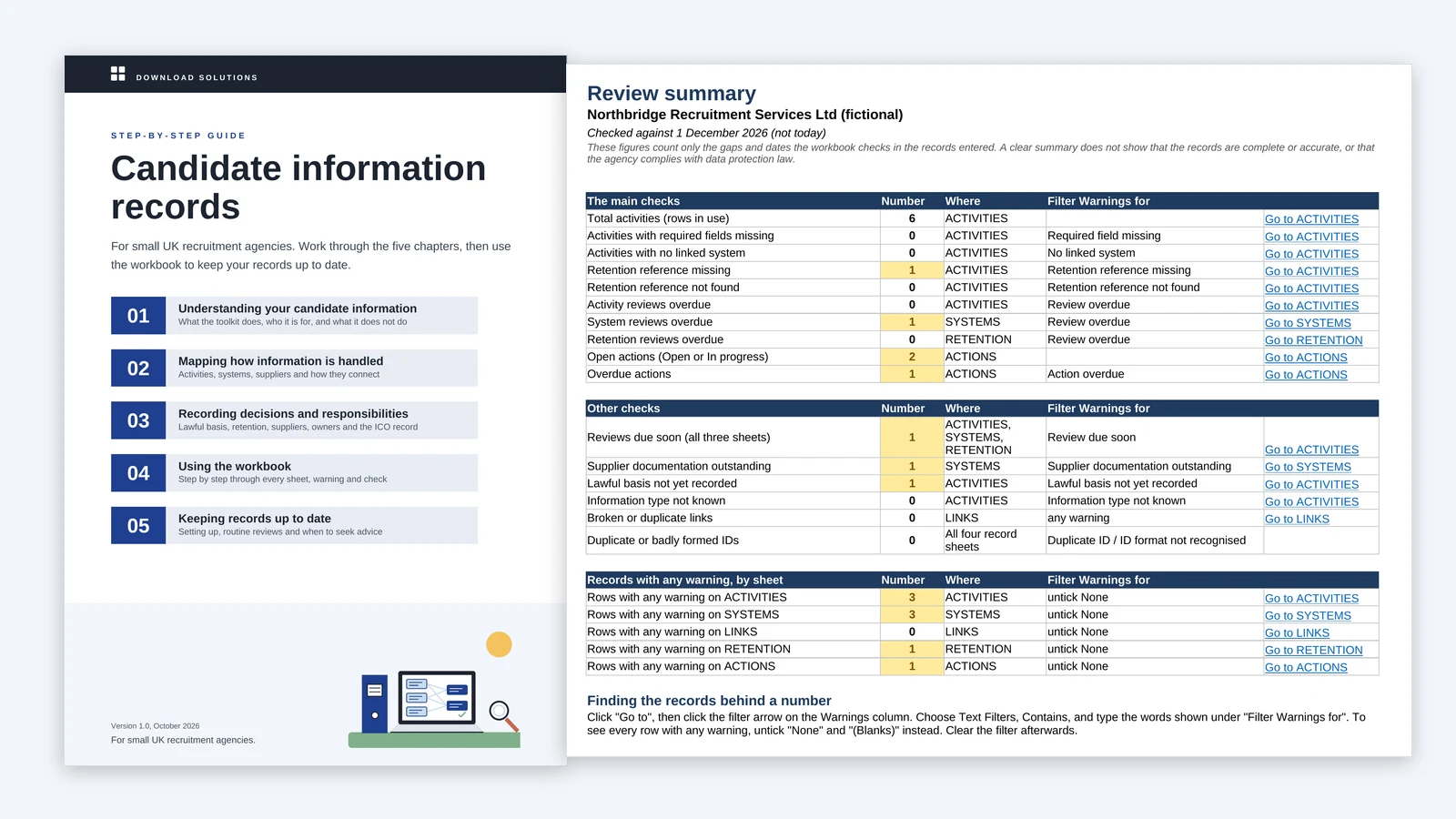
The Candidate information records guide cover next to the workbook's review summary, which counts the record-keeping gaps across the workbook

The problem

Candidate information ends up in many places, and the knowledge of where it goes often sits in one or two people's heads.

A small agency handles a great deal of information about people who are not its customers. CVs arrive by email and through job boards, applications sit in the applicant tracking system, interview notes go into shared folders or a filing cabinet, and profiles go out to client employers. Referees, video interview tools, screening providers and, for temporary workers, payroll all add more.

When a client questionnaire, a candidate's request or your own review asks what you hold, where it goes and how long you keep it, the answer has to be pieced together. Keeping track of which decisions have been made, who owns each area and what is still outstanding is harder still.

This toolkit gives you a structured way to write it all down once, keep it connected and see the gaps.

What it does for you

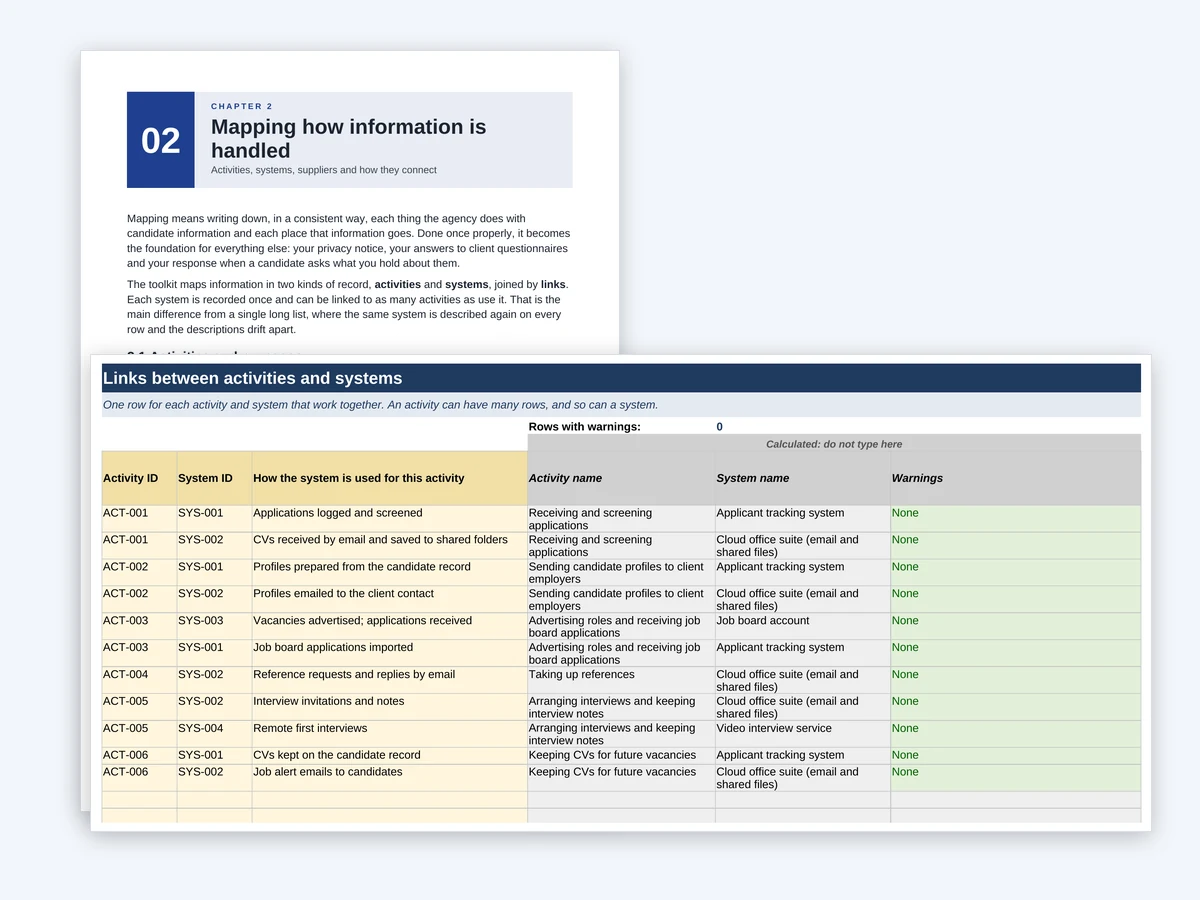
The LINKS sheet joining activity IDs to system IDs, with the activity name, system name and how each system is used

01

Activities and systems, recorded once and linked

Record each way the agency uses candidate information as an activity, and each system or outside organisation once. The LINKS sheet joins them, saying how each system is used for each activity, and every system shows how many activities use it. When you change email provider, one record and its links show everything affected.

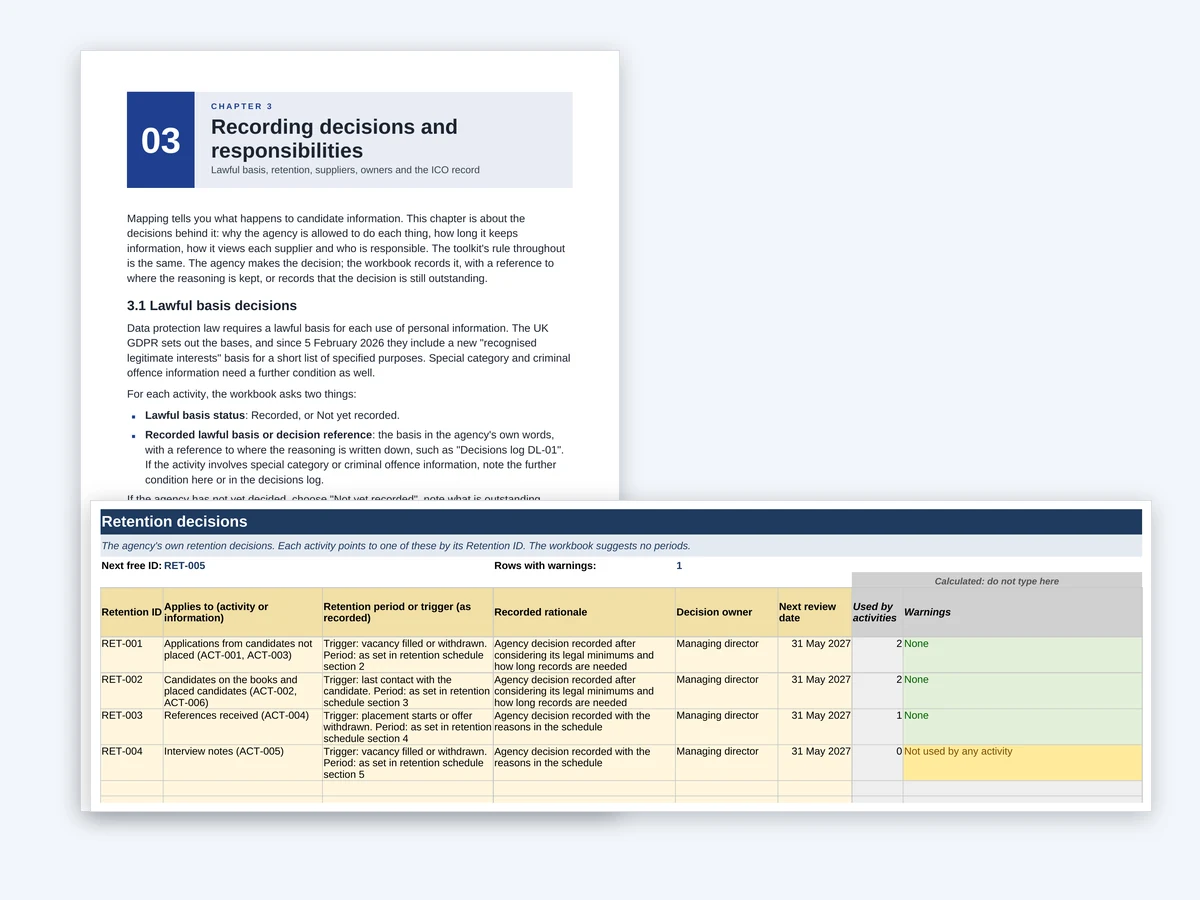
The RETENTION sheet with each decision's trigger, period, rationale, owner, review date and the activities that use it

02

Retention decisions you can point to

Each activity points to a recorded retention decision: what starts the period, how long it lasts or where your schedule sets it, why, and who decided. One decision can cover several activities. The toolkit suggests no periods; it records the ones your agency has decided.

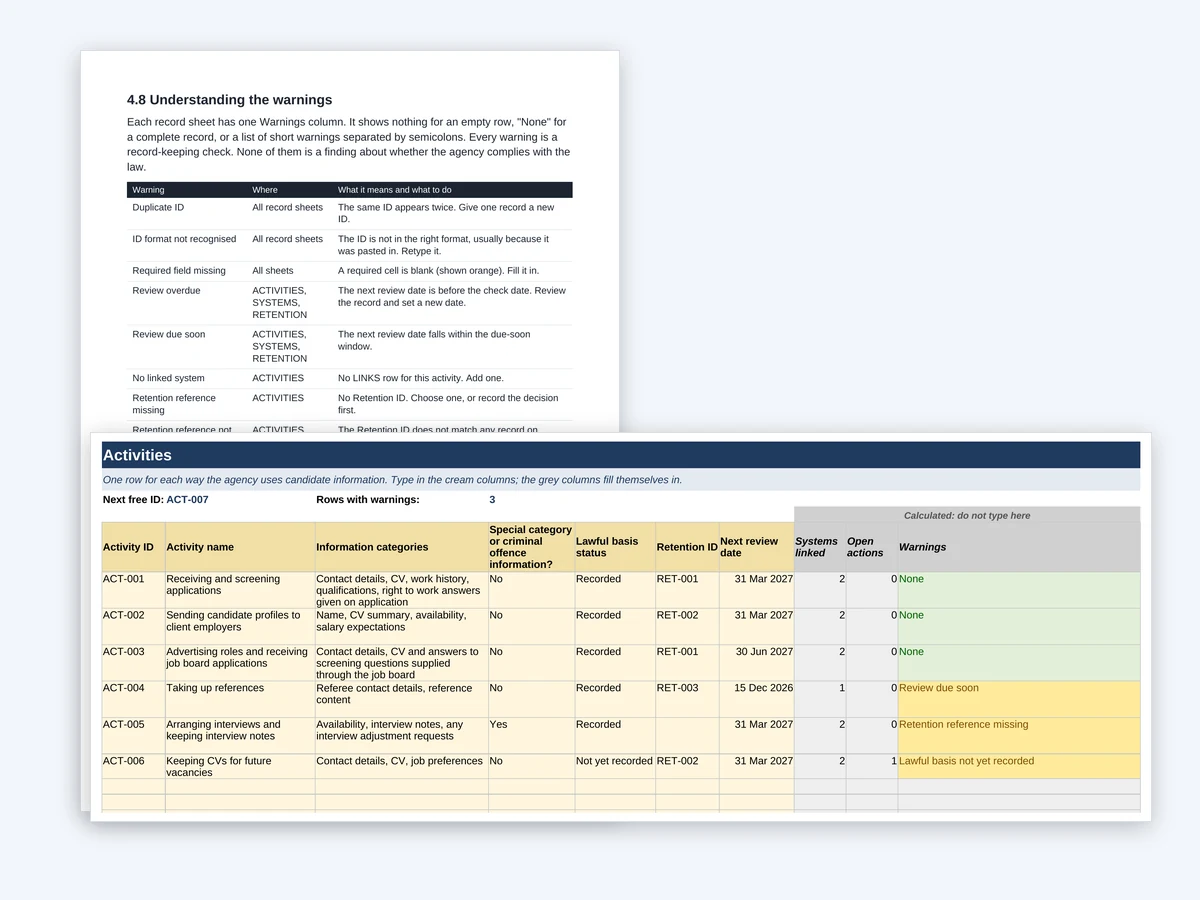
The ACTIVITIES sheet with a Warnings column showing None for complete records and short warnings, such as Retention reference missing, where something needs attention

03

Checks that show what is missing

Each record sheet has a Warnings column. It flags a missing required field, an ID that points to nothing, a duplicate link, a review date that has passed, a lawful basis not yet recorded and supplier documentation still outstanding. Fix the record and the warning clears straight away. These are record-keeping checks, not a judgement on whether the agency complies with the law.

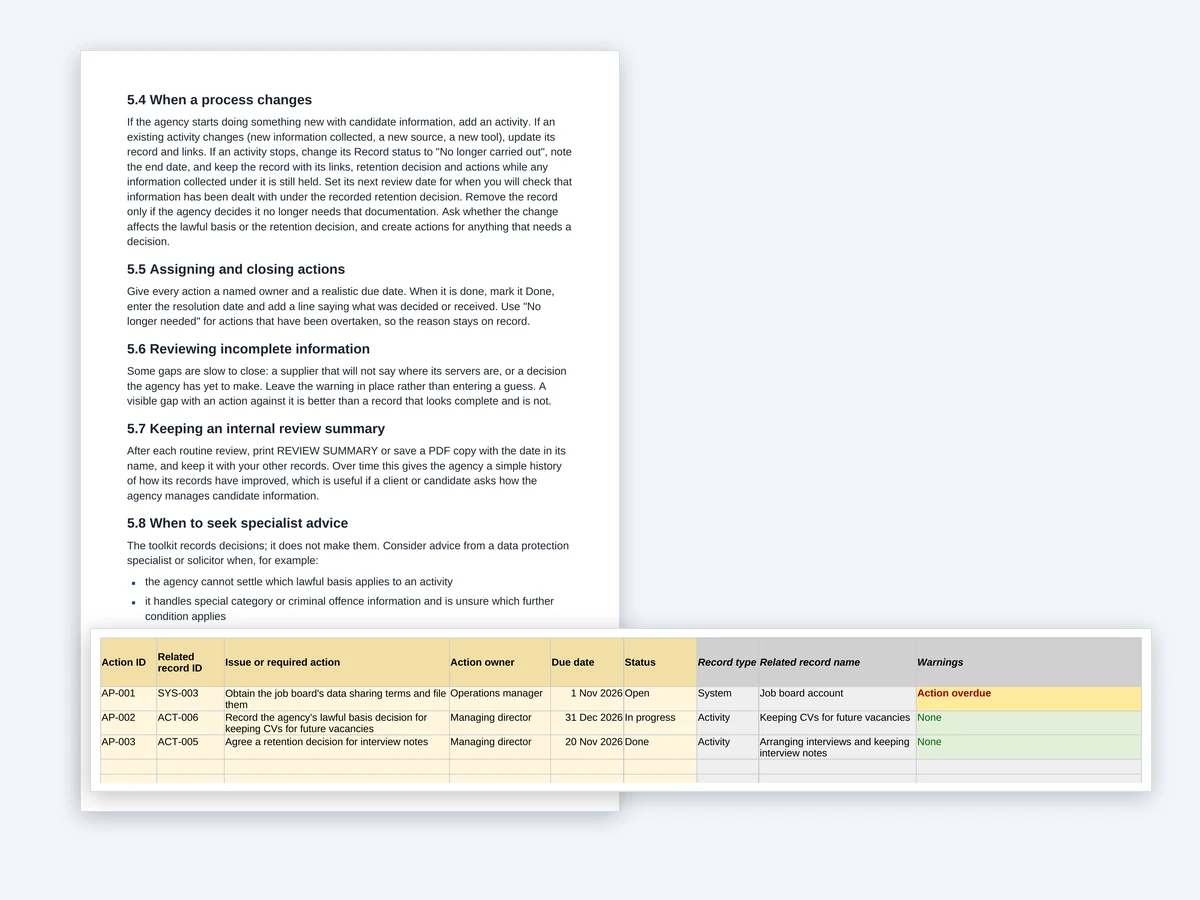
The ACTIONS sheet listing outstanding work, each action linked to a record, with its owner, due date, status and any warning

04

Owners, review dates and actions

Every activity, system and retention decision has a named owner and a next review date, and the workbook warns when a review is due soon or overdue. Anything still to do goes on the ACTIONS sheet, linked to the record it concerns, with an owner, a due date and a status.

The REVIEW SUMMARY sheet listing each check with its count, the sheet to open and the words to filter for

05

One review summary

REVIEW SUMMARY counts the gaps across the workbook, from missing retention references to overdue actions, and highlights any number above zero. Each line says which sheet to open and which words to filter for, so you can go straight to the records behind it.

The Candidate information records guide cover, listing its five chapters, in front of the opening page of Chapter 4, Using the workbook

06

A practical guide and a completed example

The guide's five chapters explain what to record and why, how to use each sheet, and how the records fit with the ICO's free record of processing template. The workbook comes with a completed copy for a fictional seven-person agency, so you can see how everything connects before you start, and clear a warning yourself.

Is it right for you?

A good fit if

  • You run or manage a small independent UK recruitment agency, typically with 2 to 20 staff.
  • You look after the agency's data protection record-keeping alongside everything else.
  • You place permanent staff, temporary workers or both.
  • You want your activities, systems, suppliers, retention decisions and outstanding actions connected in one place, with the gaps shown.
  • You are comfortable typing into cells, choosing from drop-down lists and using a filter.

Not the right choice if

  • You want someone to decide your lawful basis, retention periods or suppliers' roles. The toolkit records your agency's decisions; it does not make them.
  • You need a candidate database or applicant tracking system. The workbook records how you handle candidate information, not the information itself.
  • You want a certificate or a finding that your agency complies with data protection law.
  • You only need a record of processing, and the ICO's free template on its own will do.

What is in the download

Candidate information records guide (Word)
A cover and 23 pages, in five chapters plus a list of the sources checked, editable for your own notes.
Candidate information records guide (PDF)
The same guide, for reading on screen or printing.
Candidate information records workbook (Excel)
A blank seven-sheet workbook: START HERE, ACTIVITIES, SYSTEMS, LINKS, RETENTION, ACTIONS and REVIEW SUMMARY. Each record sheet has 20 ready-formatted rows and grows as you type.
Candidate information records worked example (Excel)
The same workbook completed for Northbridge Recruitment Services Ltd, a fictional seven-person agency, with its warnings left in so you can see each check at work.

Word (.docx), PDF, Microsoft Excel (.xlsx). Tested in desktop Microsoft Excel and Word for Windows. Not tested on a Mac, in Excel for the web or in Google Sheets. No macros. Version 1.1, last updated 18 October 2026.
Before you buy: the limitations

  • It is a record-keeping aid, not legal advice or a compliance certification, and it is not approved by the ICO or any other body. It submits nothing to the ICO or any other authority, and your agency remains responsible for its decisions and the accuracy of its records.
  • It does not choose a lawful basis or set retention periods. It records the decisions your agency has made, or shows that a decision is still needed.
  • It does not decide whether a supplier acts for you, separately or jointly with you, or whether an arrangement involving another country is lawful.
  • It does not establish whether your agency complies with data protection law. A workbook with no warnings means only that the records entered pass its built-in checks, not that they are complete or accurate.
  • It does not replace the ICO's free record of processing template. It gathers much of what that record draws on, and the guide shows which items you still record in the template.
  • It is not an applicant tracking system, cloud database or candidate-screening tool. Never enter candidate names, CVs, contact details or anything else that identifies a person.
  • It has been tested in desktop Microsoft Excel and Word for Windows only. It has not been tested on a Mac, in Excel for the web or in Google Sheets.
  • The law and the ICO's guidance were checked on 18 October 2026 and may change. Some of the guidance the guide refers to, including the ICO's recruitment and selection guidance, was under review or in draft on that date.

Questions

Does it replace the ICO's free record of processing template?

No. Most organisations must keep a written record of their processing under Article 30 of the UK GDPR, and the ICO offers a free template for it. The toolkit is the working record behind it: each system recorded once and linked, retention references checked, owners, review dates, actions and a summary of gaps. The guide shows which toolkit fields help you complete the ICO template and which items you still record there.

Should we enter candidate names or CVs?

No. The workbook describes how the agency handles candidate information, not the information itself. Never enter names, contact details, CVs or anything else that identifies a person.

Will it choose our lawful basis or retention periods?

No. It records the decisions your agency has made, with a reference to where the reasoning is kept, and flags any decision not yet recorded. It never suggests a lawful basis or a retention period. The guide explains the legal minimums agencies commonly need to take into account, and when to seek specialist advice.

How do the linked activity and system records work?

Each activity and each system has its own ID, such as ACT-001 or SYS-002. A row on the LINKS sheet joins one activity to one system and says how the system is used. The workbook then shows how many systems each activity uses and how many activities use each system, and warns about an activity with no system, a system linked to nothing, a link to an ID that does not exist or a link entered twice.

Does it suit agencies placing temporary workers?

Yes. It suits agencies placing permanent staff, temporary workers or both. The guide notes where the record-keeping differs, for example over right to work checks and payroll records for temporary workers the agency engages.

What Excel skills do we need?

Ordinary ones: typing into cells, choosing from drop-down lists and using a filter. You do not need to change any formulas. The workbook has been tested in desktop Microsoft Excel for Windows.

Is any of our information sent anywhere?

No. The workbook uses ordinary Excel features only, with no macros and no links to other files, and nothing is sent to us, the ICO or anyone else.

How often should we review the records?

Your agency decides. The guide suggests every six months as a reasonable starting point for a small agency, with a quick look at the review summary each month, and a review straight away when you take on a new system or supplier or a process changes. Each record has its own review date, and the workbook warns when one is due soon or overdue.

Buy once, keep the files

One-off payment. Ready to download straight away, with the link emailed to you.

£39.00

Buy and download